
Case study · Automotive color reference

OEM Paint Lab

A structured automotive color reference and analysis system built from a one-off converter.

  • 303 records
  • OEM · Motorsport · Other
  • CIEDE2000
  • Structured provenance
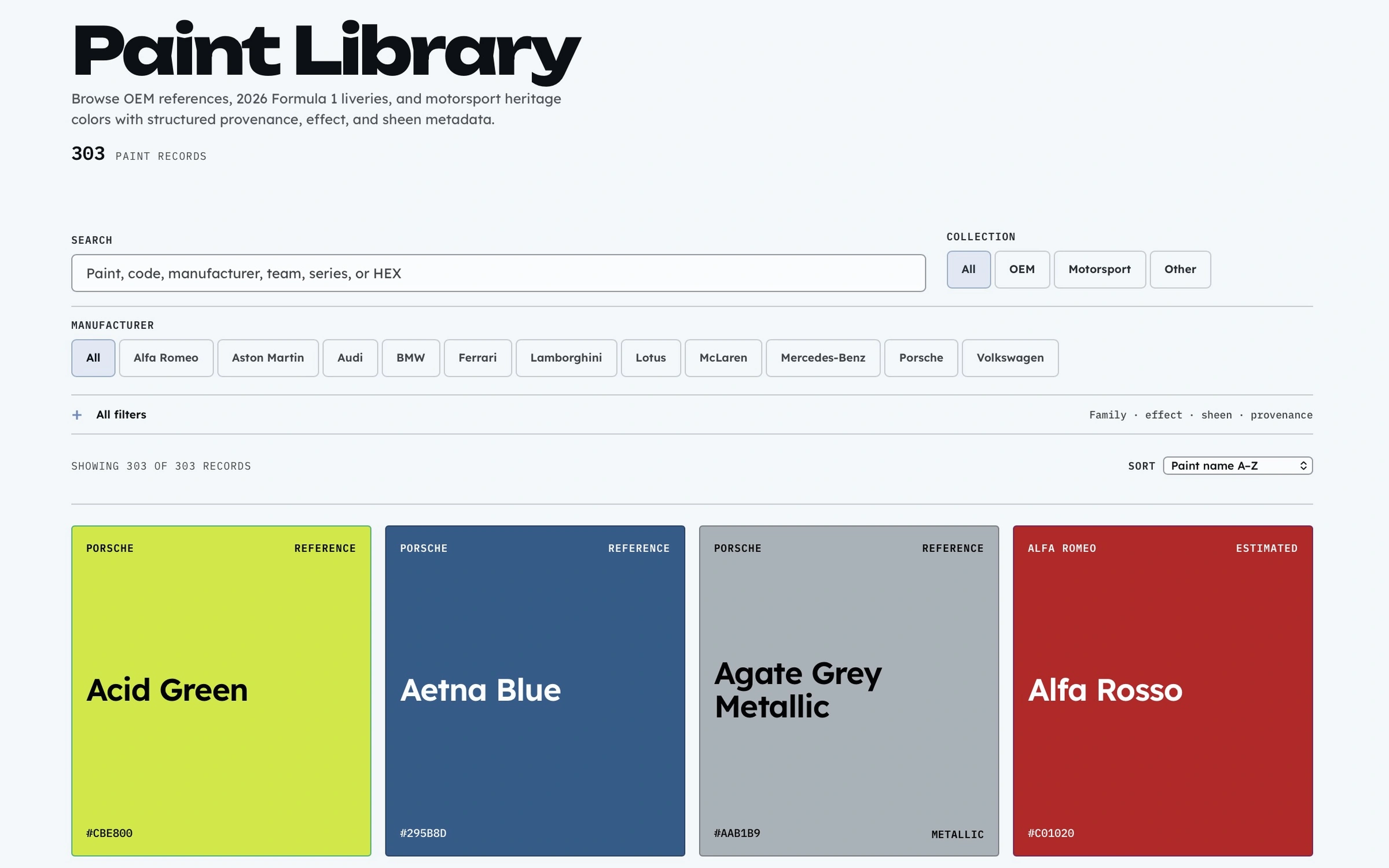
OEM Paint Lab Library showing search, collection and manufacturer filters, a 303-record count, and paint-first tiles
Library · 303 structured digital color references

A credibility problem, not a conversion problem

Digital automotive paint references are fragmented across manufacturer pages, specialist databases, screenshots, game swatches, and enthusiast archives. Values are often copied without their source or presented with more certainty than the evidence supports.

The initial question was how to translate a HEX value into useful digital color formats. The more important product question became how to make those values inspectable: where did a record come from, how was it interpreted, and what should remain unknown?

Riviera Blue record provenance showing Reference status, source, source type, screen-reference interpretation, and derivation note
Paint Detail makes the source and interpretation visible

From converter to reference product

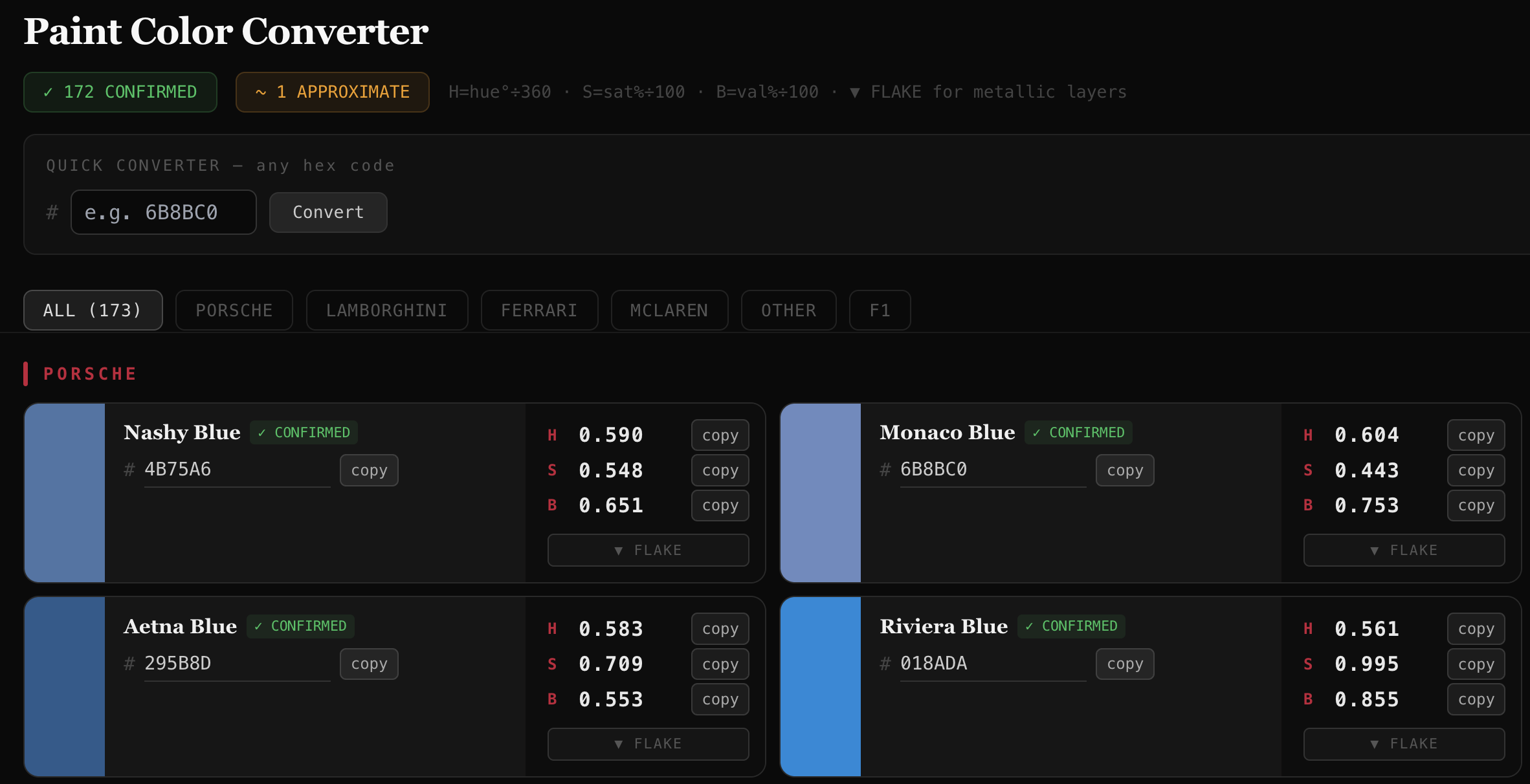
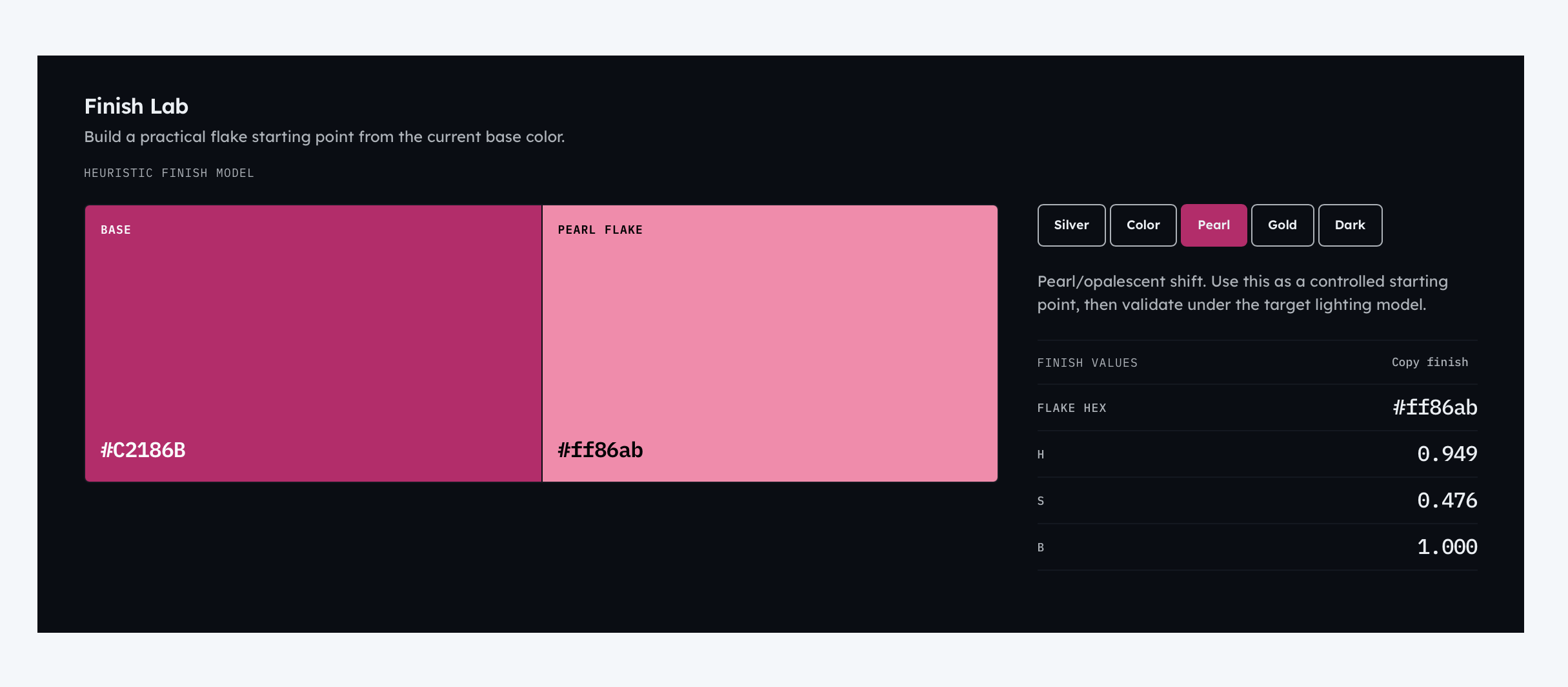
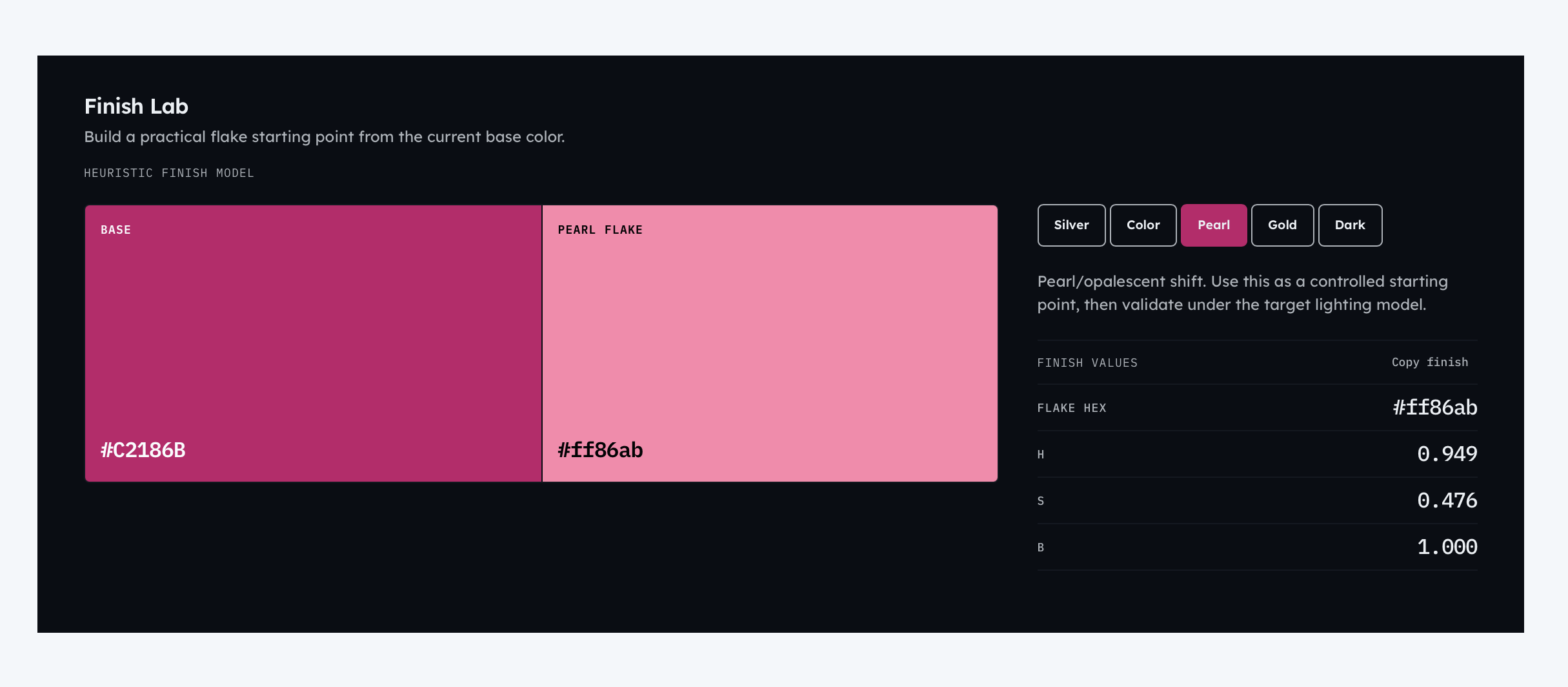
The first version was a personal utility with 173 records, normalized HSB values, and a simple finish calculator. It was useful, but the converter was still the center of gravity.

Original OEM Paint Converter showing Riviera Blue normalized HSB values and its flake calculator
Original state · a narrow converter, a 173-color list, and the ‘Confirmed’ label later replaced by explicit provenance
  1. 173-color converterTranslate a selected reference
  2. 303-record structured archiveOrganize identity, taxonomy, and provenance
  3. Connected analysis productBrowse, inspect, compare, save, and correct

The Library became the product spine

The Library anchors the archive workflows: search and taxonomy support discovery, Paint Detail explains each record, Lab and Compare analyze colors, My Colors keeps archive records and custom colors available, Methodology defines the limits, and corrections preserve context without silently rewriting the archive.

That architecture also preserves continuity. A selected record can move into analysis or comparison without becoming a detached copy, while returning from detail restores the reader’s place in the archive. The system behaves as one product rather than a collection of calculators.

LibraryCanonical archive
  • Paint DetailIdentity + provenance
  • LabRepresentations + matches
  • ComparePerceptual distance
  • My ColorsLocal workspace
  • MethodologyScope + limits
  • CorrectionStructured proposal
Library view showing the canonical archive, taxonomy filters, and paint-first record tiles
Library spine
Formula 1 Racing Red Paint Detail showing its motorsport identity and color values
Motorsport record
OEM Paint Lab workbench showing Racing Red, RGB, HSB, and normalized HSB values
Lab
Compare view measuring perceptual distance between Racing Red and Gulf Blue
Compare
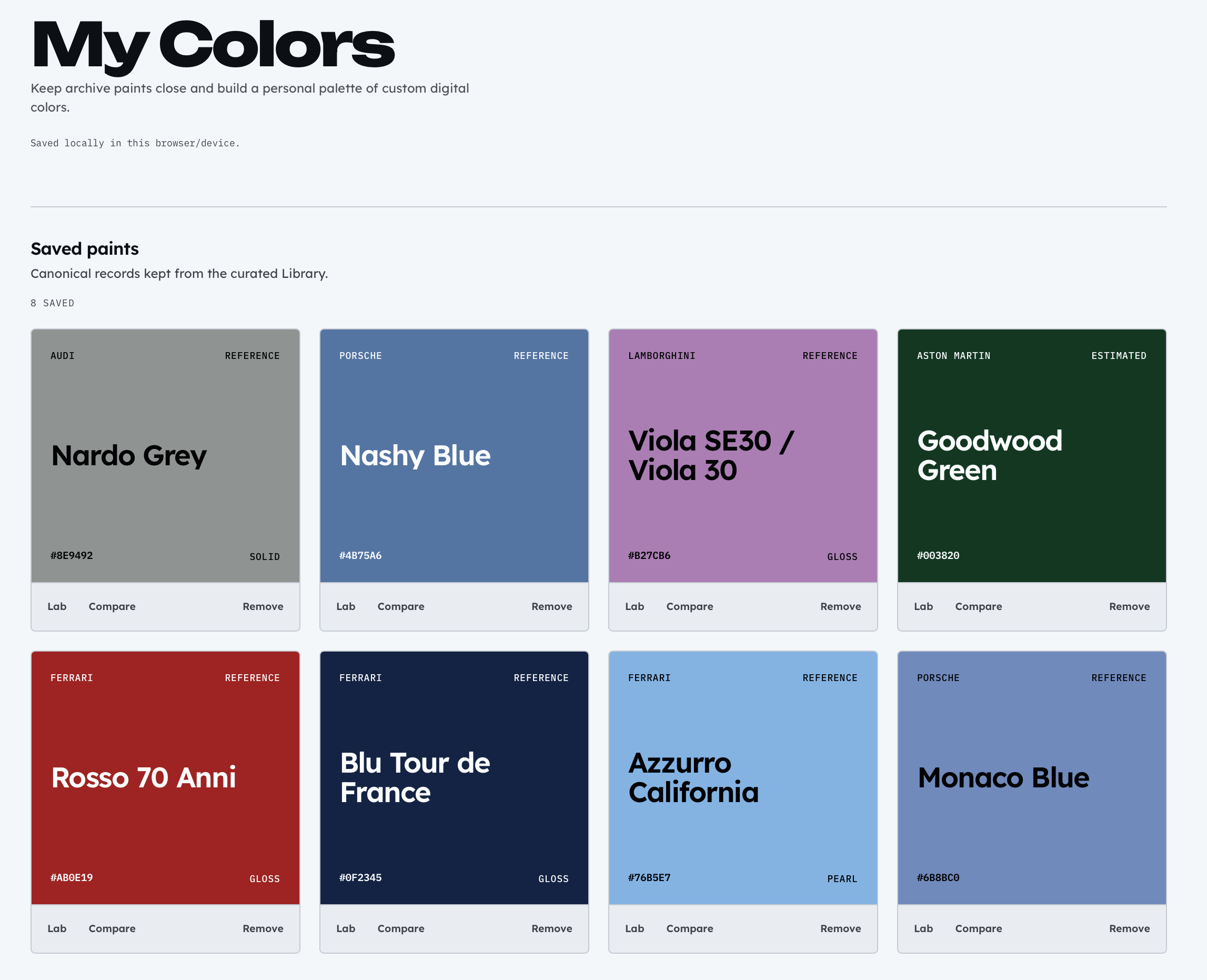
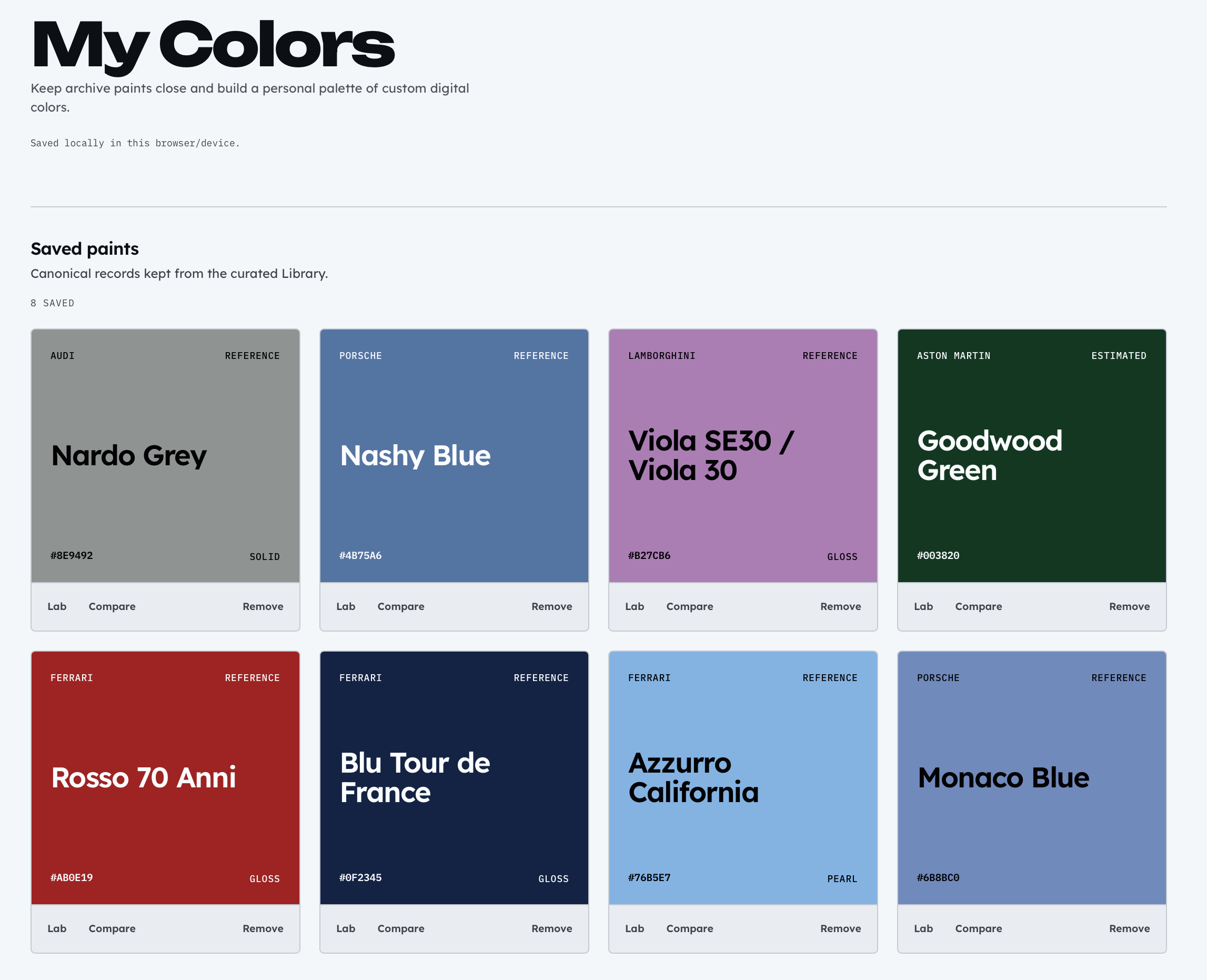
My Colors workspace containing saved archive records and a user-created custom color
My Colors

Modeling uncertainty instead of hiding it

The archive separates a record’s identity from its classification, evidence, and finish metadata. Stable IDs survive data expansion. OEM records use manufacturer taxonomy; motorsport records can add series, season, team, and role without inventing a manufacturer.

Reference and Estimated describe how a digital value was derived. They are not physical-paint verification tiers. Unsupported paint codes, effects, sheens, and URLs remain absent rather than being filled with plausible guesses.

264 OEM38 Motorsport1 Other200 Reference103 Estimated

Identity

  • Stable ID
  • Canonical name
  • HEX
  • Paint code

Classification

  • Collection
  • Manufacturer
  • Series + season
  • Team + role

Evidence

  • Reference / Estimated
  • Source + type
  • Source URL
  • Derivation note

Finish

  • Effect
  • Sheen

From workbook to validated product data

The canonical workbook is versioned source material, not a browser dependency. A deterministic importer reads the expected sheet and columns, normalizes taxonomy and optional values, derives searchable fields, validates the archive, and writes generated JSON consumed by typed React views.

Validation is intentionally redundant. The importer rejects malformed source data before generation, and a separate JavaScript check protects the generated archive’s expected IDs, collection boundaries, provenance totals, key records, URLs, and duplicate identity rules.

  1. Canonical XLSXVersioned source
  2. Schema normalizationMapped fields + taxonomy
  3. Invariant checksIdentity + totals
  4. Generated JSONStatic runtime source
  5. Typed product viewsReact + TypeScript

The browser never parses Excel at runtime; it receives a predictable, validated dataset.

Color values are not physical paint

The analysis layer serves two related jobs. It translates one sRGB value into useful representations, then compares that value with the archive in a perceptual color space. CIEDE2000 ranks nearby digital references; it does not measure spectral paint behavior.

Representation

  1. HEX
  2. RGB
  3. HSB / HSV
  4. Normalized HSB

Perceptual matching

  1. sRGB
  2. Linear RGB
  3. XYZ D65
  4. CIELAB
  5. ΔE00
  6. Ranked references
Lab view translating Racing Red into RGB, conventional HSB, and normalized HSB values
Representation and nearest-reference workbench
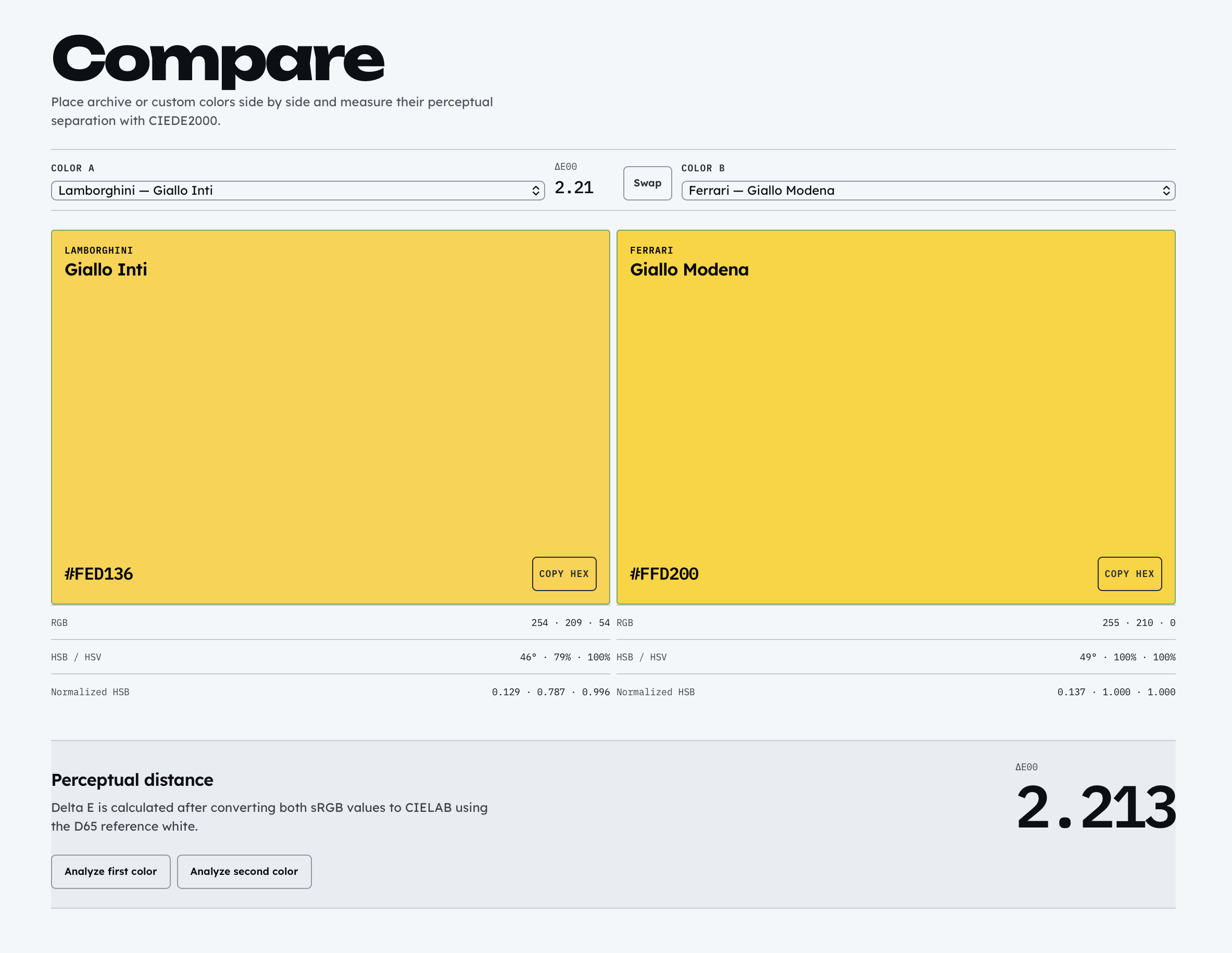
Compare view showing two archive colors and their CIEDE2000 perceptual distance
Side-by-side comparison with ΔE00

Designed for reuse and correction

My Colors turns archive discovery into a personal workspace. Saved archive records remain linked to their canonical IDs, while custom named HEX colors can move into Lab or Compare. My Colors data stays in localStorage on the current browser and device; there is no account or cloud sync.

Paint Detail also packages correction context: record ID, current and suggested HEX, ΔE00, an optional public source, and an explanation. The product copies that structured proposal for the user to share. It does not submit data or change the archive automatically.

My Colors workspace with saved Racing Red and Riviera Blue archive records plus a custom Reference Blue color
Saved records and a user-created local color
Correction dialog comparing Riviera Blue with a suggested HEX and showing a CIEDE2000 distance of 9.809
A copyable correction proposal with source context

A restrained automotive instrument

Paint supplies the chromatic content; the surrounding interface stays neutral. Unbounded is reserved for major product display moments, Lexend handles interface and body copy, and IBM Plex Mono distinguishes technical values, identifiers, and provenance labels.

The product avoids carbon fiber, fake gauges, racing stripes, vehicle photography, and automotive cliché iconography. Thin rules, direct controls, deliberate density, and large paint fields make the archive feel more like a precision workbench than a themed dashboard.

On small screens, filters collapse into a compact control stack, navigation moves behind Menu, and paint remains the dominant surface.

Compare view demonstrating the restrained neutral interface, large paint fields, and technical typography
Paint first; interface second
OEM Paint Lab Library on a 375-pixel-wide mobile viewport with compact navigation, filters, and paint tiles
Genuine 375 px Library layout

A one-off utility became a reusable color-reference system.

The result is a single system for finding, inspecting, comparing, saving, and proposing corrections to digital automotive color references.